
SJTUNetdisk
7/19/26GuideStorageGuide302About 1 min
SJTUNetdisk
Tips
- SJTU Netdisk uses
302redirect as the default download method. - Login credentials may expire; use
Keep aliveto maintain the session.
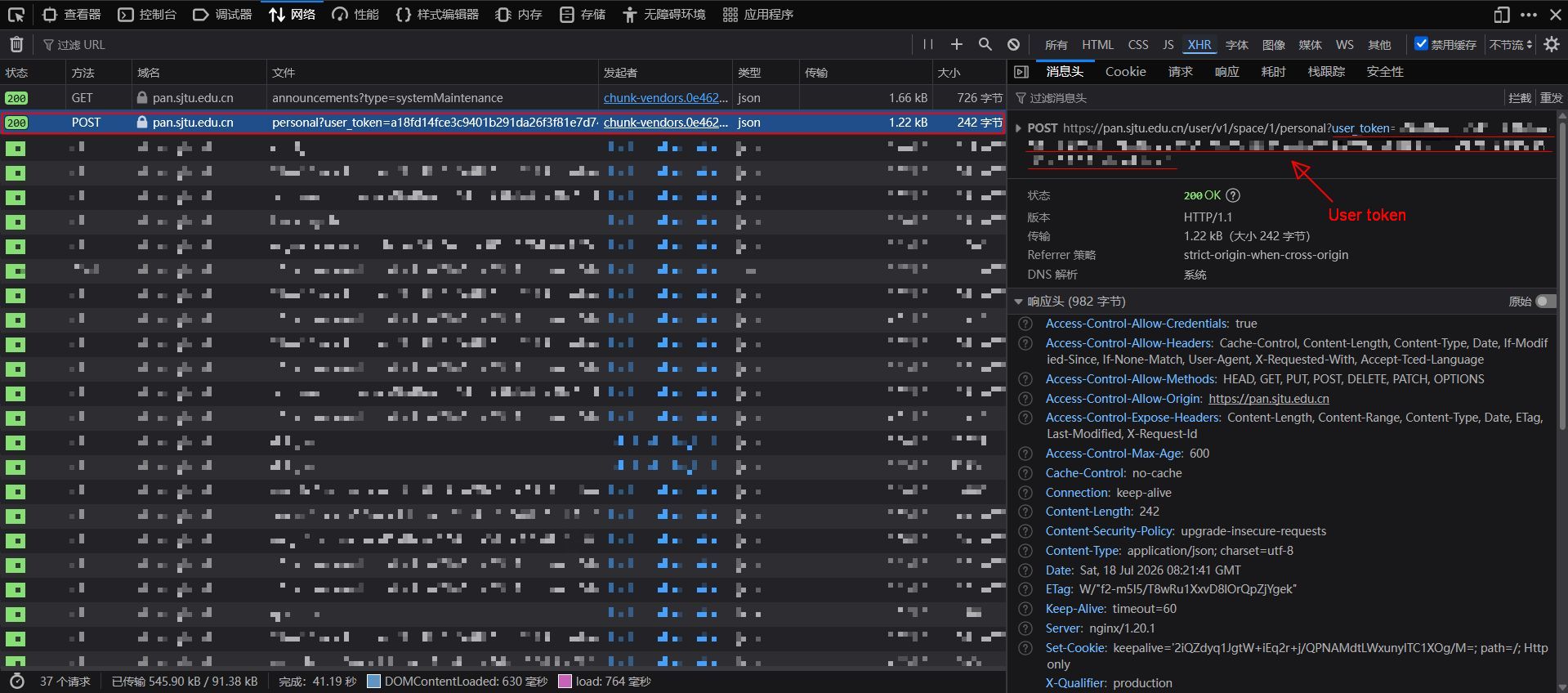
User token
Open the developer debugging tool (F12) in your browser, switch to the Network tab and check Disable cache. After logging in to SJTU Netdisk, find the request that carries the authentication information, copy the user_token value and fill it in.
Keep alive
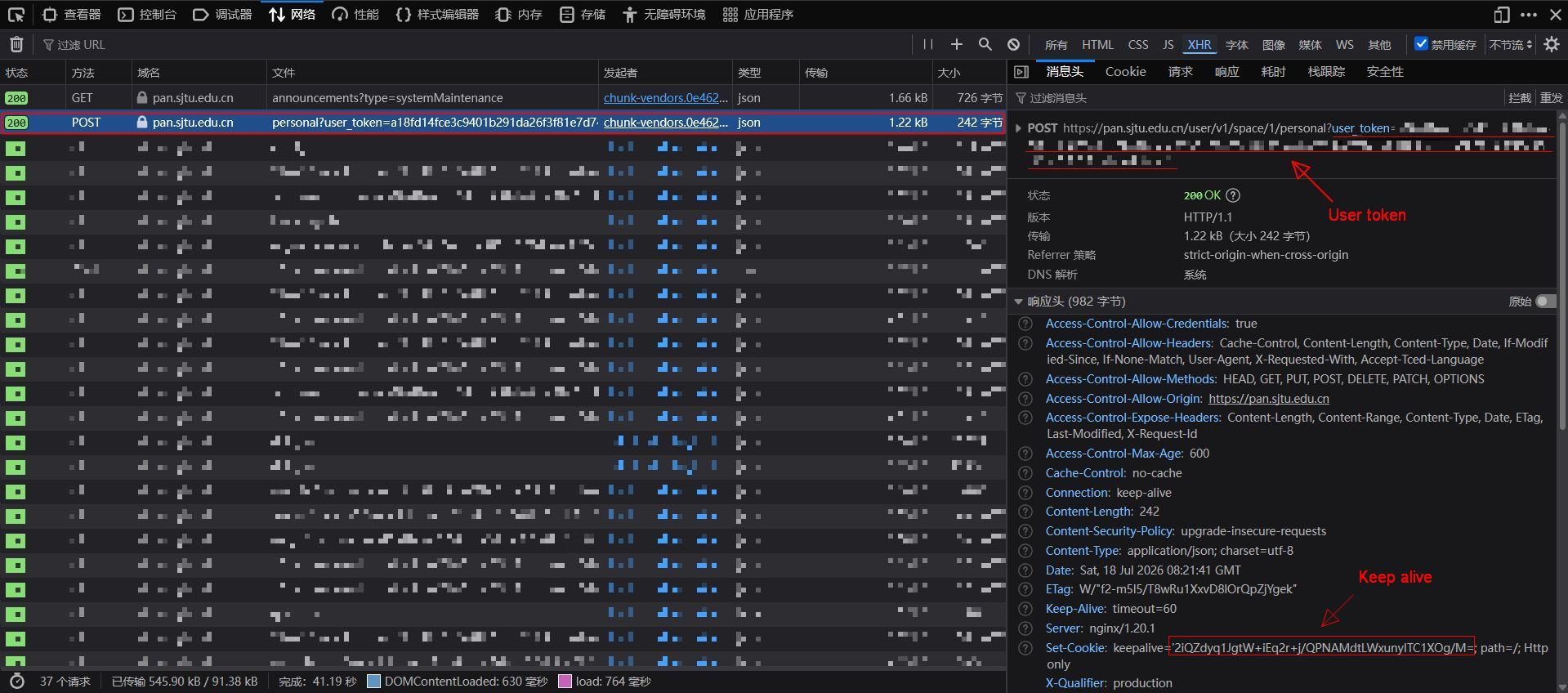
When enabled, AList will periodically refresh the user token to keep the session alive, preventing the token from expiring after long periods of inactivity. Find the response header of the request that carries Set-Cookie, copy the keepalive value and fill it in.
User id
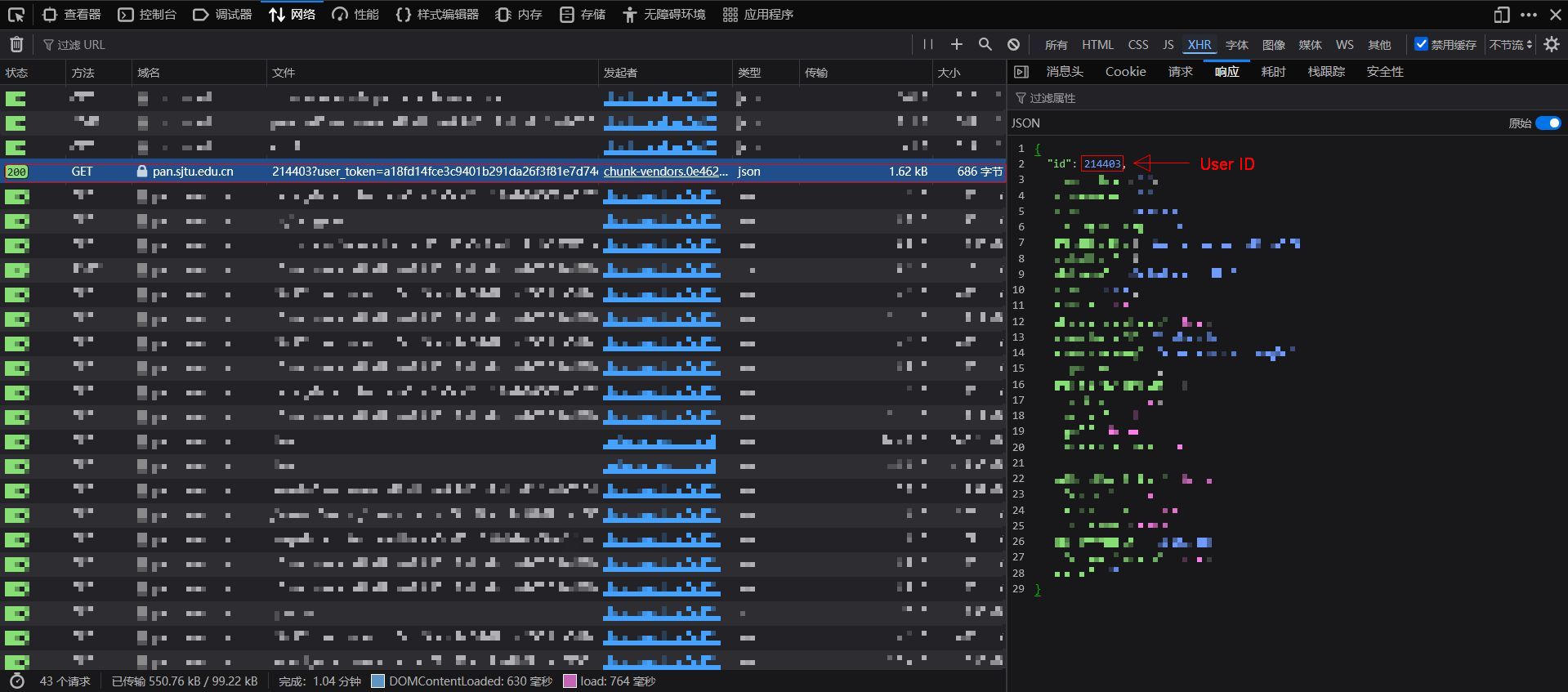
Find the request that carries the user ID — it is located in the response body. Copy the id value and fill it in.
Order by
Choose the field by which files and folders are sorted:
Name— Sort by file/folder nameModificationTime— Sort by last modified timeSize— Sort by file size
Order by type
Choose the sort direction:
Asc— Ascending orderDesc— Descending order